

#Know what is left without having to search
A buyer calls: how many crates of that batch are left? You are in the store or out in the field and want to give an answer straight away. No checking the whiteboard, opening a spreadsheet and counting crates yourself.
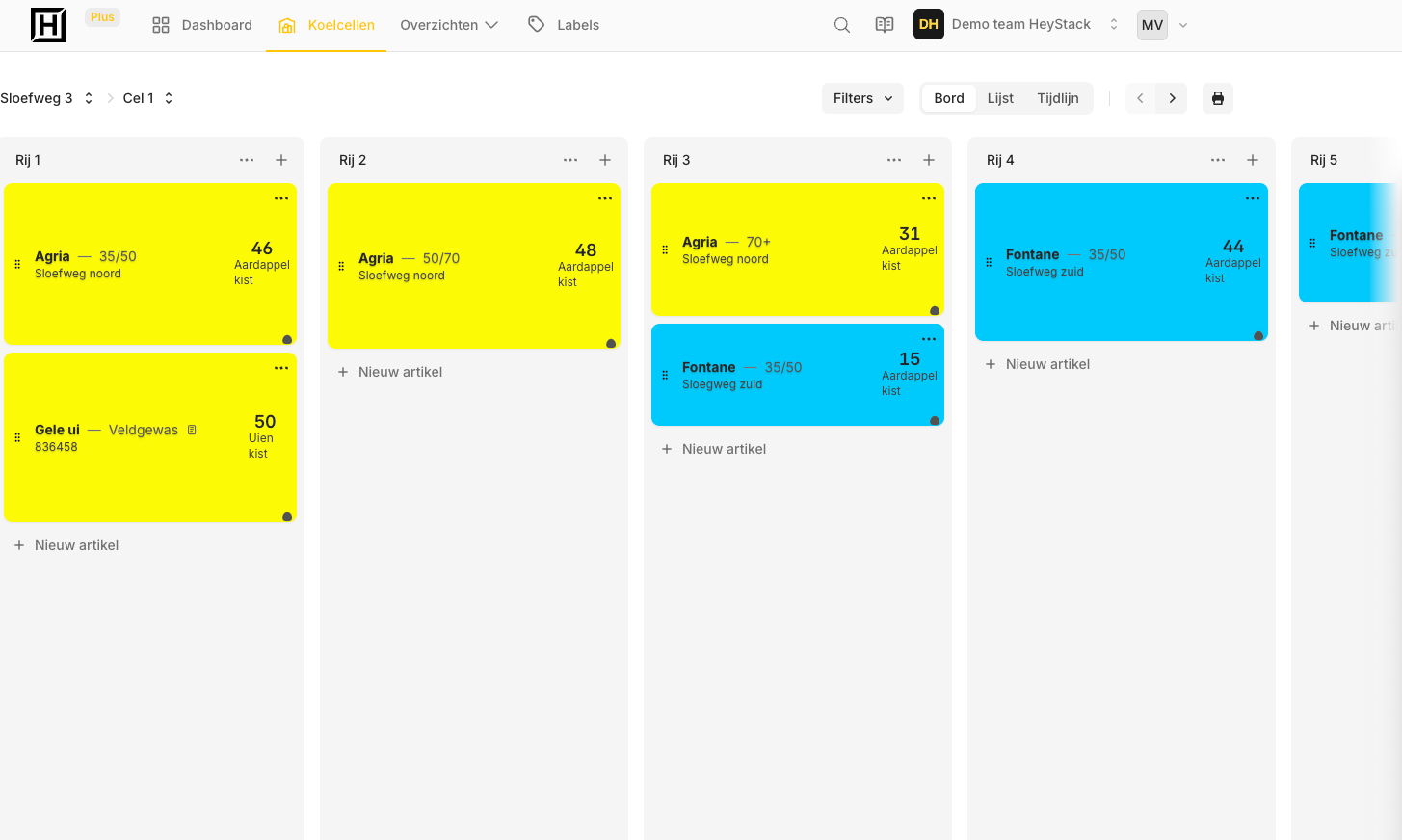
In HeyStack, you can see how much is left of each batch and where it is stored. That works for potatoes in crates, fruit in bins or produce in big bags. Update the inventory on your phone and you will see the same figures on your computer.
Your own store
Your sites, cold rooms and rows
Set up your storage the way you know it. Open a site, go to the right cold room and see which row holds a batch.
That tells whoever is on the forklift where to go. And when you are back at your desk, you see the same place and quantity.
#Track totals or each crate separately
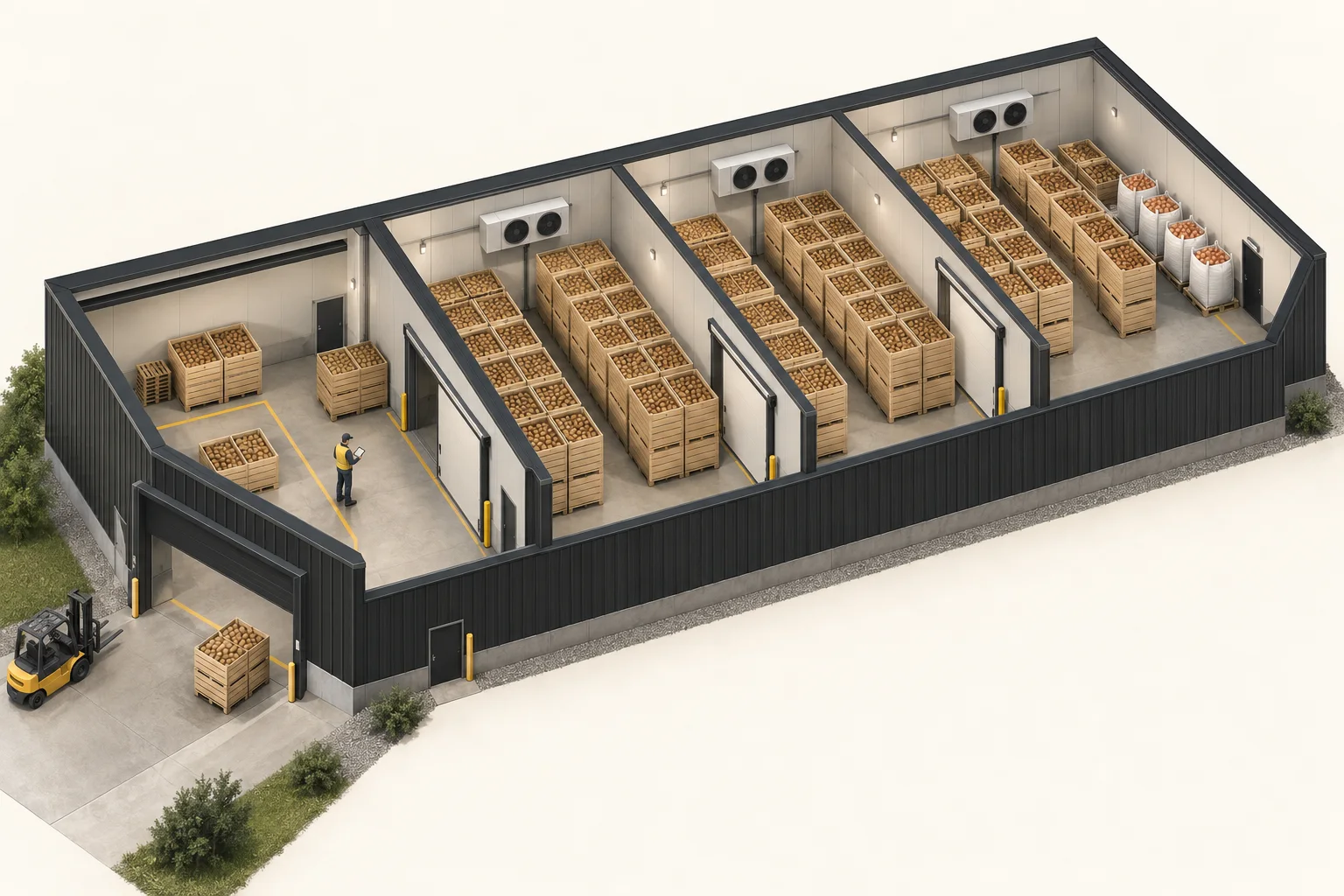
For one business, knowing that 200 crates of a batch are left is enough. You keep one total. Another business wants to know what is in every crate and where each one stands. HeyStack can do that too.
You can use labels for individual crates. Scan a crate to see its details. When you move or dispatch crates, scan the ones you are working with. That way, you can keep track of where each crate goes.
Do not want to use labels or a scanner? You can still enter and update inventory by hand. Much like using a whiteboard, but with an overview you can open on your phone or computer.
#Find the batch you need
Inventory by location
One batch, several rows
Record the details you use to recognise a batch: its name or variety, size, origin and quantity. Then you can find it again without relying on memory.
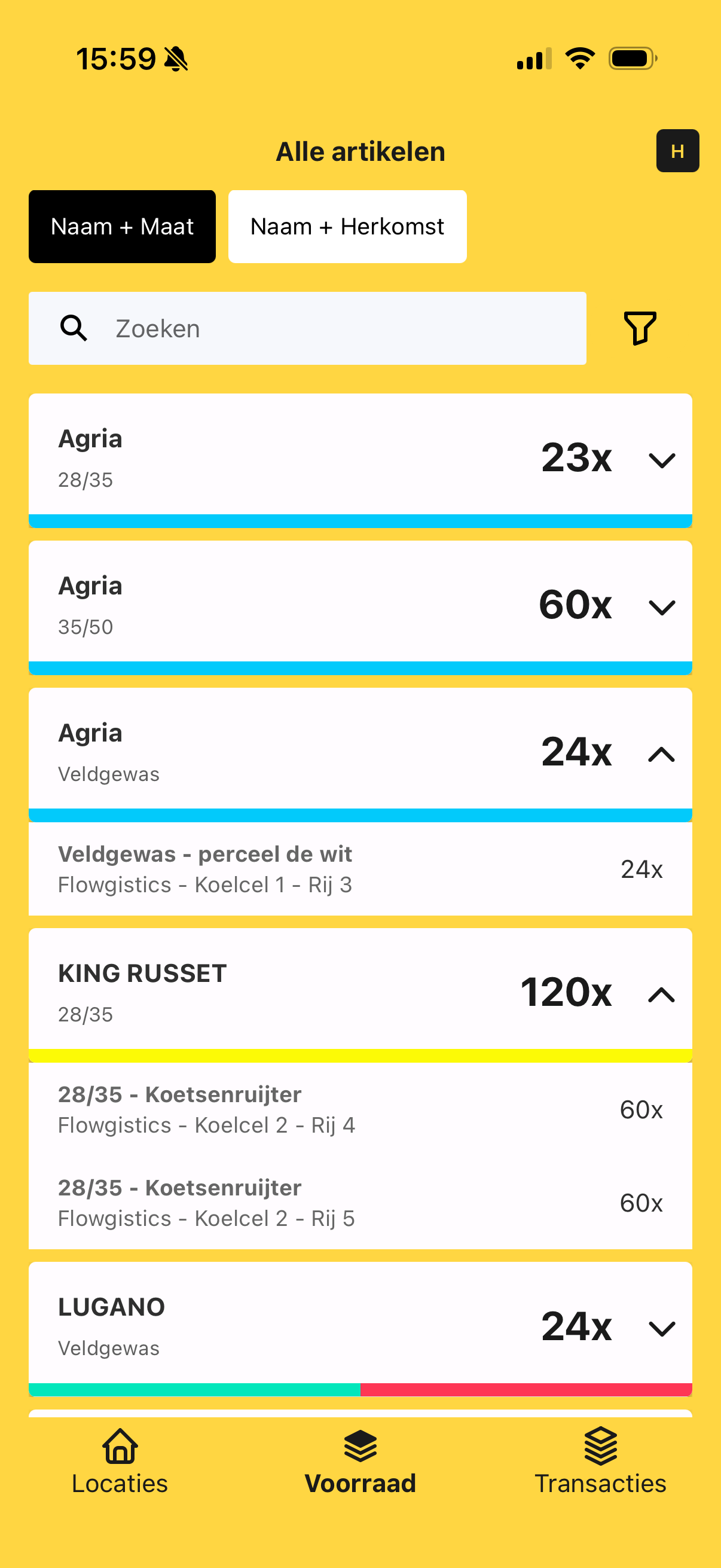
The inventory overview shows the total. Open a batch to see how it is spread across your storage. Here, 120 crates of KING RUSSET 28/35 are stored in cold room 2: 60 in row 4 and 60 in row 5.
The structure follows your own storage: Site → Cold room → Row → Batch.
Move the crates to another row yourself? Record the new location. Next time you need that batch, you know where to go.
#See what has changed
Stock comes in. You dispatch some. Or you move part of a batch to another row. Record the change and the quantity and location are updated. You can look back to see what changed, when it happened and who recorded it.
Want to know more about the history? Read about stock movements.
#Start small
Start with one site and a few batches. You do not need to enter everything in your store at once. If that works well, add the rest.